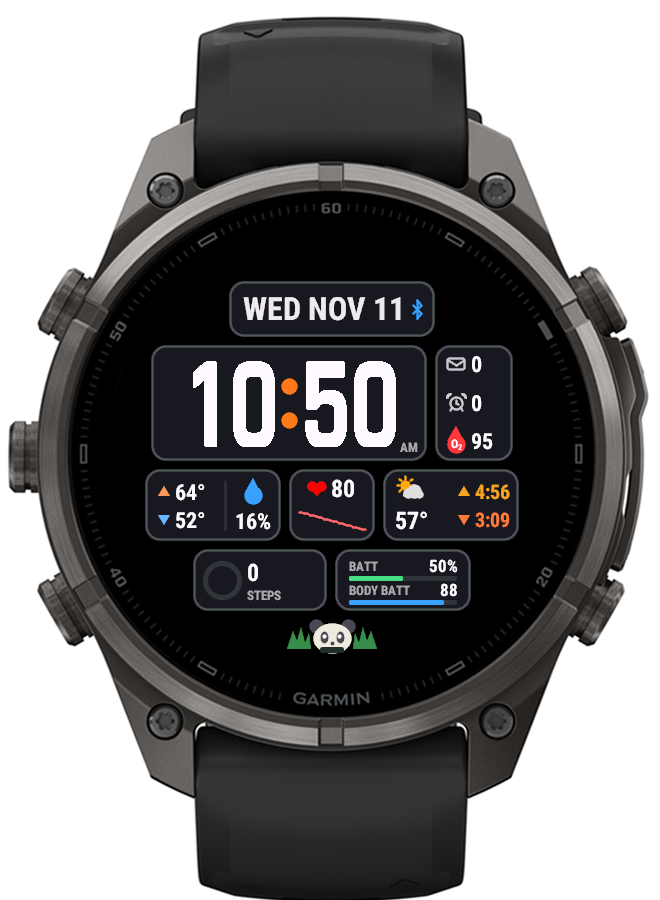
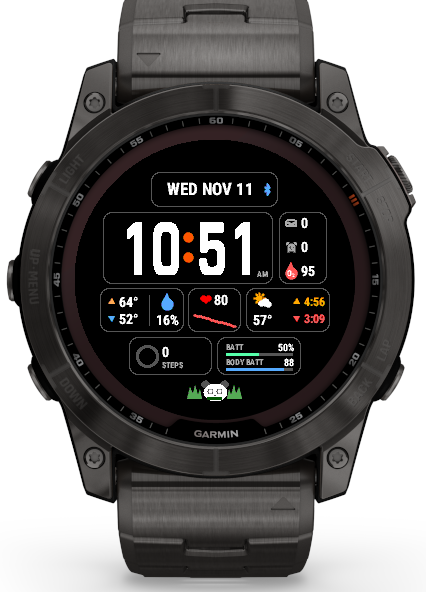
A bento box works because everything has its own compartment. BentoBox applies the same idea to a watch face: the time, date and your data each sit in their own rounded tile, so the face stays tidy no matter how much you put on it. And because a bento should have something nice in it, there’s a small vector-drawn snack in the open space at the bottom: a panda onigiri by default, or maki, strawberries, tamagoyaki, edamame, or a different one each day.
Every tile is a choice
The layout is fixed, but almost every tile’s content is a setting:
- Date strip across the top, as large as it fits, with an optional phone-connection icon
- Time tile with a side tile next to it holding up to three small items: messages, alarms, Pulse Ox, heart rate, battery, steps, sunrise or sunset. Set all three to none and the time widens to fill the row.
- Two medium tiles: weather, sunrise and sunset, heart rate with a four-hour trend, altitude and pressure, moon phase, steps with a goal ring, or battery with Body Battery. Weather can also be split across both tiles so every number stays readable.
- A small tile for one quick reading: heart rate, Pulse Ox, rain chance, Body Battery, stress, floors and more
- Two bottom tiles for rings and bars: steps, calories and weekly active minutes, Body Battery and stress, or a seven-day step history
Colours are hand-picked rather than taken from a generic palette: a background (black, navy, cedar, plum, forest or slate), a tile colour, and a tile edge, each set separately. The shades are dark on purpose, so they look rich on AMOLED screens without lighting up too many pixels.
Touch, sleep and always-on
On touchscreen watches, pressing and holding a tile opens the watch’s own screen for whatever that tile shows: the calendar from the date, the heart-rate widget from heart rate, and so on. A tile showing two things opens the one under your finger.
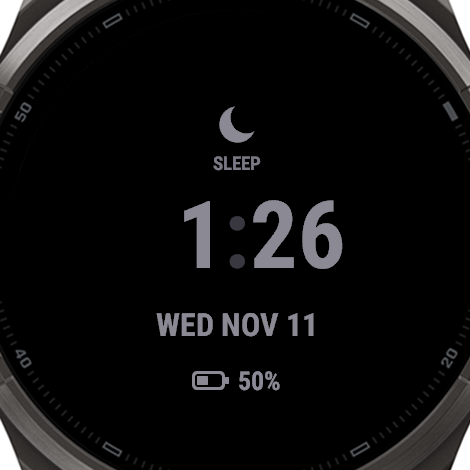
At night BentoBox borrows SolArc’s minimal sleep face: a crescent, “SLEEP” or “DO NOT DISTURB”, the time, the date and, when it’s low, the battery, all in one soft grey. In always-on mode it shows just the time and date, with every other screen row blanked and alternated each minute so no pixel stays lit long enough to risk burn-in. That keeps about 2.6% of the screen lit.
Under the hood
BentoBox is written in Monkey C for Garmin’s Connect IQ and shares its core (settings, weather, sun and moon calculations, and icons) with SolArc. Everything is drawn as vectors on a design grid and scaled to the screen, from the 454-pixel AMOLED fēnix 9 Pro to the 280-pixel fēnix 7X. The settings screens and their defaults are generated from a single script, so adding a new tile option means changing it in one place.
Status
Working on the fēnix 9 Pro and fēnix 7X as a sideloaded face. Not yet in the Connect IQ store. If you’re interested in trying them before their release, contact me.