A private website for our household’s everyday planning, running on a home server. It started with one question every family knows: what’s for dinner this month? It grew into three small tools that work together: a recipe library, a menu calendar and shopping lists.
The screenshots here are from a demo copy filled with sample recipes.
The menu calendar
Pick a month and fill it with dinners. You can let the site deal them at random from the recipes tagged as dinner (no desserts or sides), narrowed by tags if you like, or step through the days and choose each one from the pictures. Random fills work like a shuffled deck: no repeats until every recipe has had a turn, and never the same dinner two days running. Any day can be rerolled, locked, swapped by hand or set to something like “Eat out”.
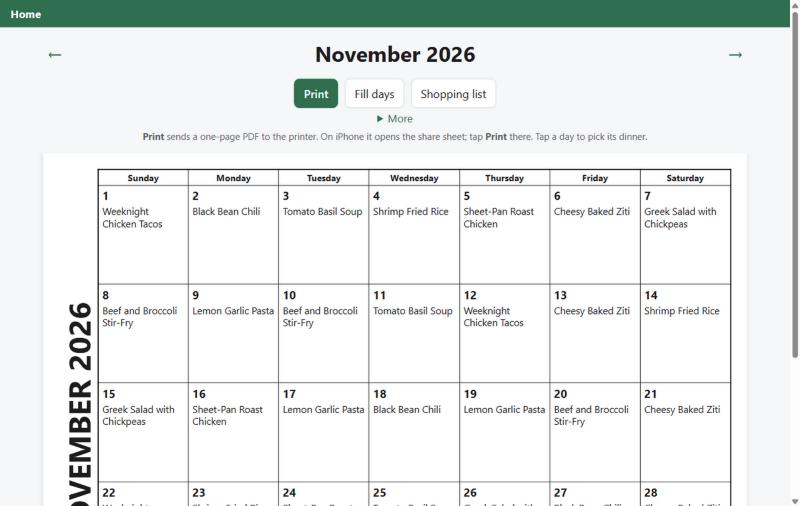 A filled month. Print turns it into a one-page calendar for the fridge.
Print always produces a one-page PDF, the calendar alone or followed by every recipe on it. On an iPhone, Print opens the share sheet with the PDF already attached, because printing a web page directly tends to spill across two sheets.
The recipe library
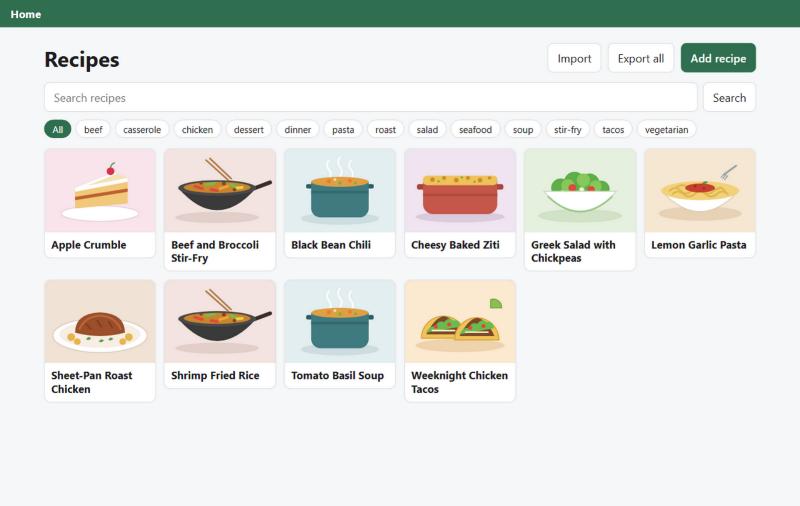
Recipes are browsed by picture, searched, and filtered by tag. A recipe without a photo gets an illustrated placeholder that matches what it is: a pot for soups, a wok for stir-fries, tacos for tacos. Recipes can be typed in, imported from a recipe web page, or uploaded as Markdown files. For the big recipe sites that block imports, a Send to Home bookmark sends the page from your own browser instead. Each recipe prints with a QR code back to its source and keeps its last ten versions, so a bad edit can be undone. The whole library can be exported as Markdown and read back in unchanged.
Shopping lists that add up
Ask for a day, a week, a month or a hand-picked set of recipes, and the site writes the list: ingredients added up across recipes (1 cup and 2 tablespoons of butter become 1⅛ cups), grouped by aisle, with staples like salt and pepper tucked away in a “Probably have” group.
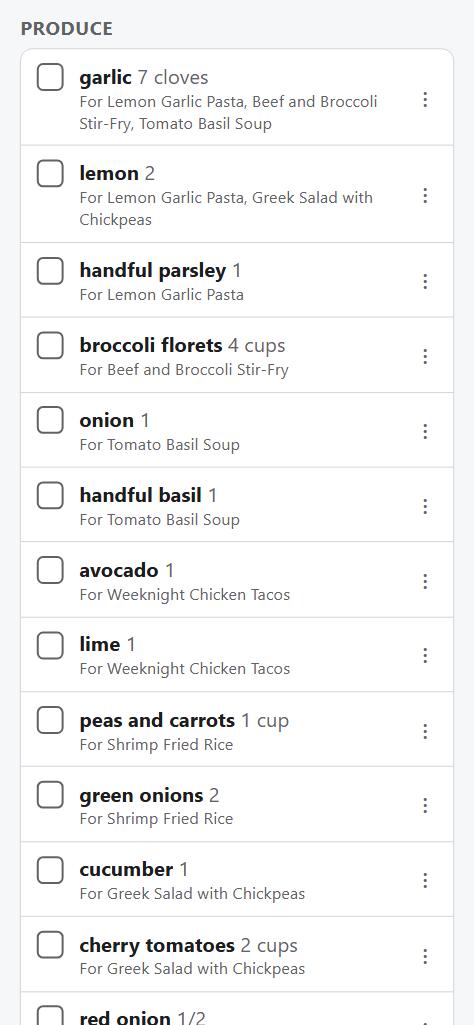
Everyone’s phone sees items ticked off within a few seconds, so two people can split the shop. Move an item to a different aisle once and the site remembers it next time.
How it’s built
A Flask app with a SQLite database, and PDFs drawn with ReportLab. There’s no custom container image: it
runs in the official Python image with the code mounted in, so an update is a git pull and a restart,
and security fixes come straight from upstream. Caddy sits in front and provides HTTPS.
Anyone at home can use it straight away. Away from home it asks for a family password once per device, and changing or deleting recipes needs a separate editing password, so a stray tap can’t wreck the library.
Status
In everyday use at home. Menus, recipes and shopping lists are all done; next is room for more small household tools and links.