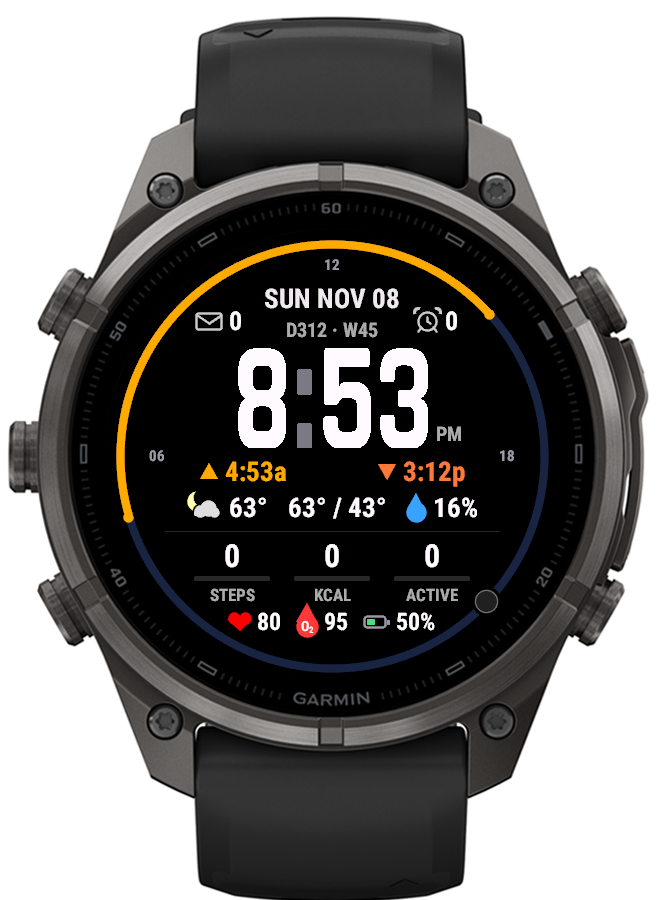
Most watch faces treat the time as a number. SolArc treats it as a place in the day. Around the edge, a 24-hour ring puts noon at the top and lights up the stretch from sunrise to sunset, so a glance tells you how much daylight is left before you’ve read a single digit. The current moon phase rides the ring as the “now” marker.
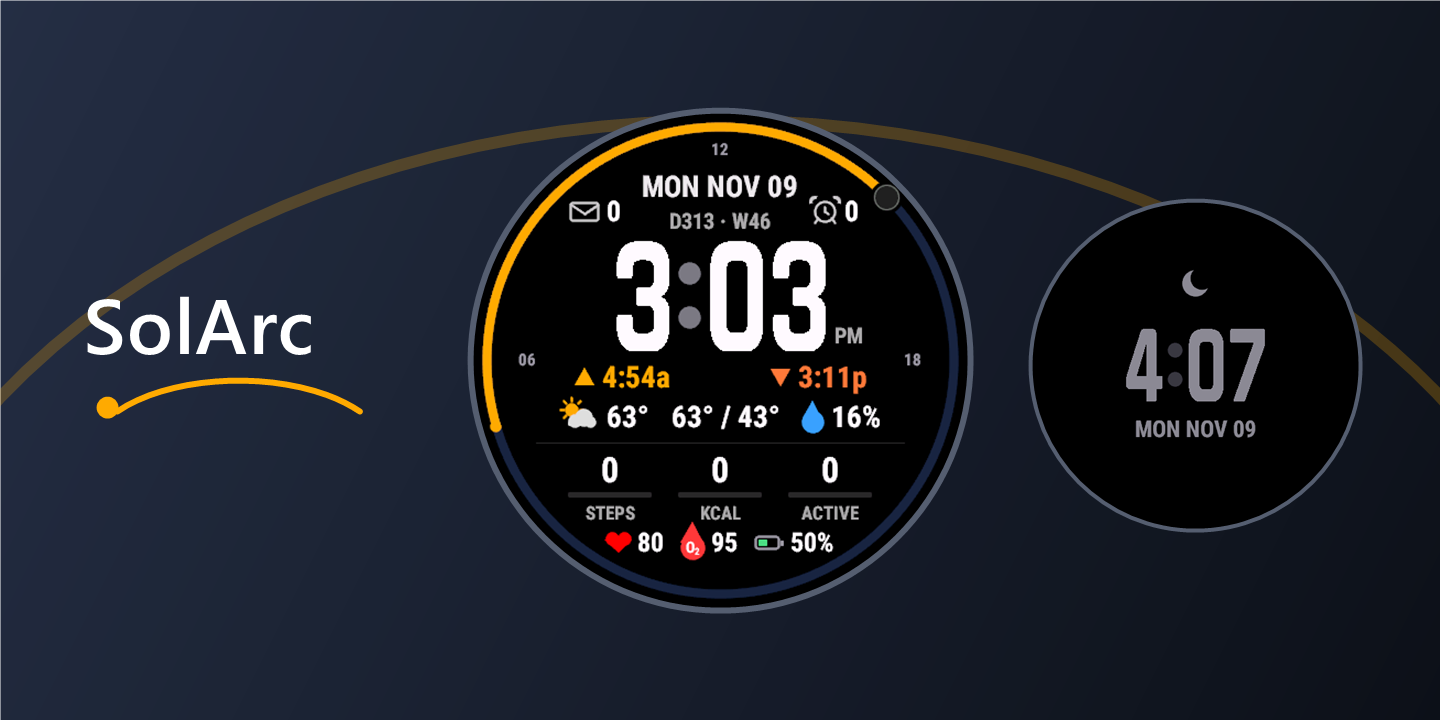
What’s on the face
- The time, large and clear, with the date, day and week of the year, messages and alarms above it
- Sunrise and sunset times beneath, matching the ring
- Weather from Garmin or OpenWeatherMap: conditions with day and night icons, temperature, high and low, and chance of rain
- Activity: steps, calories and active minutes, each with a progress bar
- Health: heart rate, the latest Pulse Ox reading, and battery
On touchscreen watches, pressing and holding an item opens the watch’s own screen for it: the calendar for the date, the weather app for the forecast, the heart-rate widget for heart rate, and so on.
A face for the night
At night most faces are too bright and too busy. SolArc switches to a minimal sleep face: a soft grey crescent, the time and the date, with the battery shown only when it’s running low. It turns on with Do Not Disturb or during your sleep hours, and you can choose when it appears and what colour it uses.
Built for always-on screens
AMOLED watches can show the face all the time, but static pixels risk burn-in. Garmin’s rules are strict: under 10% of pixels lit, and no pixel lit for more than three minutes. Shifting the layout a few pixels each minute, the usual trick, wasn’t enough here: thick digits overlapped themselves and some pixels stayed lit for over half an hour. SolArc’s always-on mode blanks every other screen row and alternates the rows each minute, so no pixel stays on two minutes running and only about 2% of the screen is lit.
Under the hood
SolArc is written in Monkey C on Garmin’s Connect IQ platform. It shares a common core with BentoBox (settings, weather, sun and moon calculations, and icons) while each face supplies its own layout. Everything is drawn as vectors on a design grid and scaled to the screen, so the same face works on the high-resolution AMOLED fēnix 9 Pro and the memory-in-pixel fēnix 7X.
Privacy is simple: the face collects nothing and sends nothing anywhere. If you choose OpenWeatherMap, your approximate location and your own API key go to OpenWeatherMap only.
Status
In private beta on the Connect IQ store for the fēnix 9 Pro (47 mm). The fēnix 7X version runs as a sideloaded build. If you’re interested in trying them before their release, contact me.